Freeze Your Content in Place
Password-protect individual entries, assets, categories, and global sets in Craft CMS — with granular control over editing, deleting, or both.
$19 one-time license fee + $9/year for updates

In The Control Panel
A lock sits on the entry itself, and the settings decide what a lock can cover and who can bypass it.
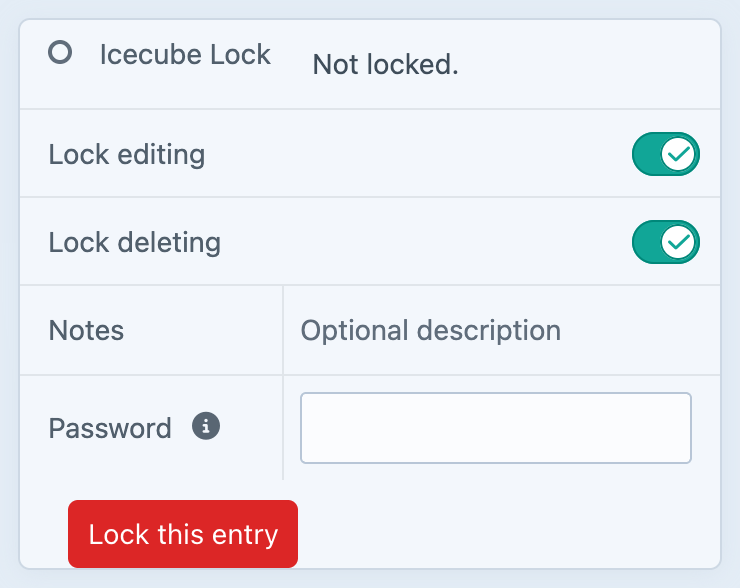
Lock editing, deleting, or both — with an optional password and a note saying why.
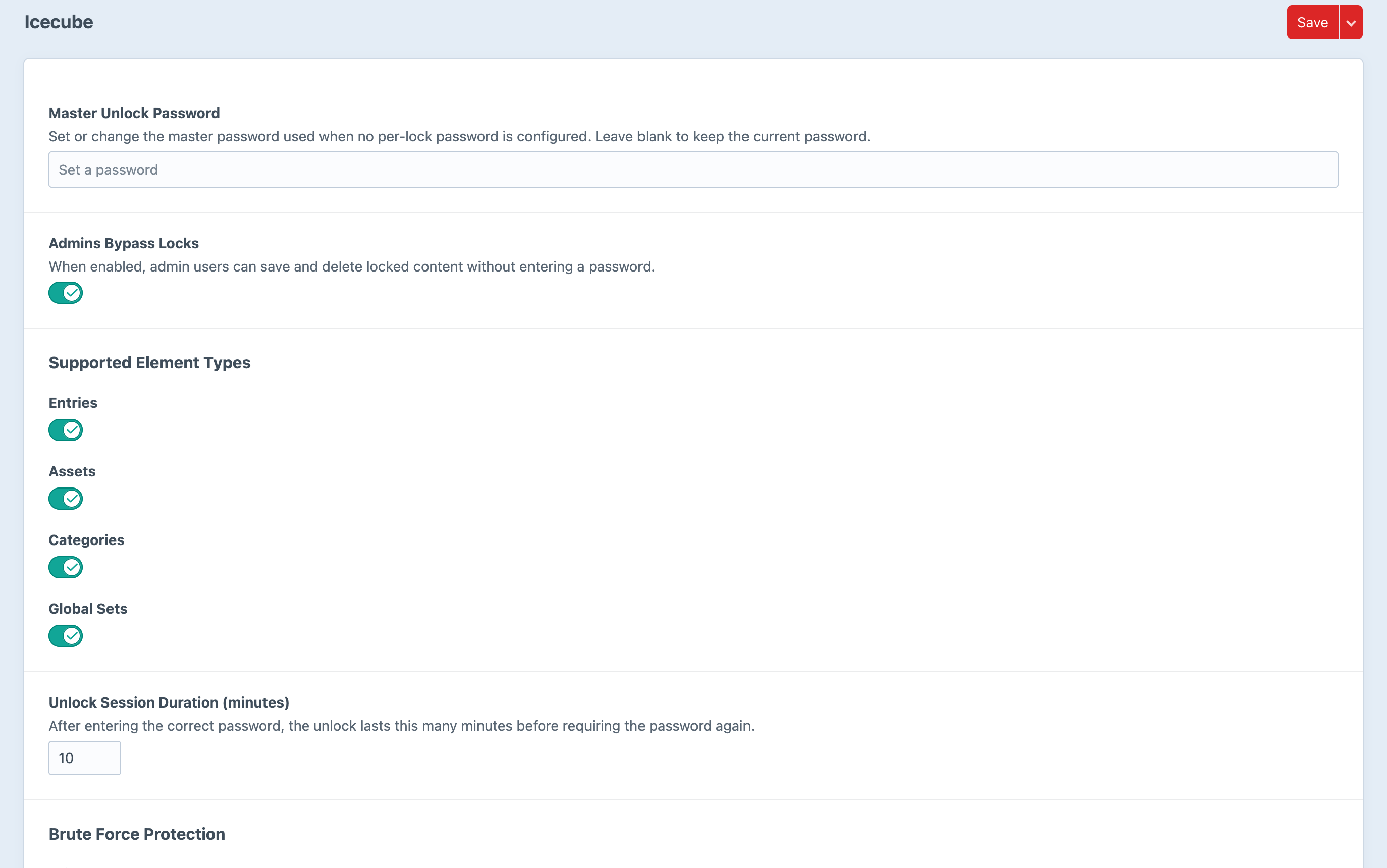
One master password, and a switch for whether admins are exempt.
Screenshots from a live install, not mockups.
Features
Granular password protection for your Craft CMS content.
Lock Any Element
Protect individual entries, assets, categories, and global sets. Apply locks to specific content elements that need safeguarding, without affecting the rest of your site.
Selective Protection
Choose exactly what to protect — editing, deleting, or both. Fine-tune your locks so editors can still view content while preventing accidental changes or deletions.
Per-Lock Passwords
Set unique passwords for each lock with optional notes explaining why the content is protected. Share passwords only with the people who need access.
Master Password Fallback
Configure a global master password that works across all locks. Perfect for administrators who need emergency access without tracking individual lock passwords.
Timed Unlock Sessions
Unlocked content automatically re-locks after a configurable duration (1–1440 minutes). No more forgetting to re-lock critical content after making changes.
Granular User Permissions
Three permission levels — manage locks, bypass all locks, and unlock locked content — give you precise control over who can do what. Admins can optionally bypass all locks automatically.
Clear Visual Indicators
Lock badges, status icons, and sidebar info panels make it instantly obvious which content is protected. Editors always know what’s locked and why, with notes displayed alongside the lock.
Frequently Asked Questions
Common questions about Icecube.
The $19 one-time fee gives you a single-site license for Icecube, including all features: element locking for entries, assets, categories, and global sets, per-lock passwords, master password fallback, timed unlock sessions, granular user permissions, and visual lock indicators. You also get one year of updates.
After the first year, you can renew for $9/year to continue receiving updates and new features. If you choose not to renew, your existing version will continue to work — you just won’t receive updates.
Icecube can lock entries, assets, categories, and global sets. You can protect against editing, deleting, or both, on a per-element basis.
Each lock can have its own unique password. When an editor tries to edit or delete a locked element, they’ll be prompted to enter the password. You can also add notes to each lock explaining why the content is protected.
The master password is an optional global fallback that works on all locks. It’s configured in the plugin settings and is useful for administrators who need access to any locked content without needing individual lock passwords.
Unlock sessions are configurable from 1 to 1440 minutes (24 hours), with a default of 10 minutes. Once the session expires, the content automatically re-locks.
Yes. There’s a setting to allow administrators to automatically bypass all locks without entering a password. You can also assign the “Bypass all locks” permission to specific user groups.
Icecube requires Craft CMS 5.3 or later and PHP 8.2 or later. It supports both MySQL and PostgreSQL databases.
Ready to lock things down?
Get Icecube for your Craft CMS project today.
$19 one-time license · $9/year for updates